Subscribe to the Wednesday Nordic Nomads Calendar

Choose the type of calendar you use (Google, Apple, Outlook) from the list below and follow the link or instructions.


Add to Google Calendar:

Subscribe


Add to iCal:

  • - open the iCal app
  • - select Calendars (middle bottom)
  • - select Add Calendar (bottom left)
  • - select Add Subscription Calendar
  • - paste the following into the SUBSCRIPTION URL:
    https://calendar.google.com/calendar/ical/70683c8d3dc79eca8db6fbfcaa157a490b7ac9cbd683f585e4fcbb16eef9b805%40group.calendar.google.com/public/basic.ics
  • - click Subscribe


Add to Microsoft Outlook

  • - open Outlook
  • - select Calendar
  • - select Add
  • - select From Internet ...
  • - enter the following text in the text box:
  • https://calendar.google.com/calendar/ical/70683c8d3dc79eca8db6fbfcaa157a490b7ac9cbd683f585e4fcbb16eef9b805%40group.calendar.google.com/public/basic.ics

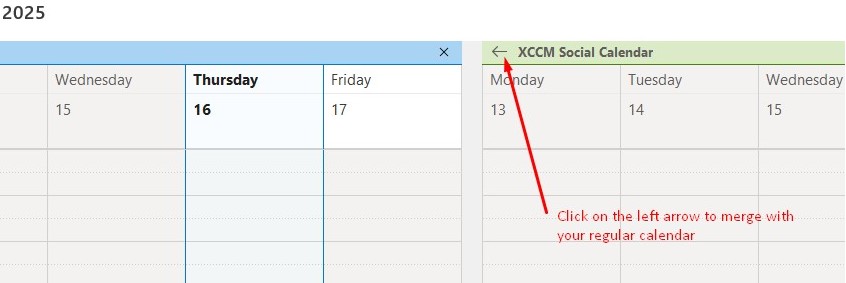
To merge with your existing Calendar: